Your whole team, in the palm of their hand
Native iOS and Android apps for technicians, plus a dedicated Warehouse app built around the barcode scanner. From arrival to invoice. From receiving to restocking. No calls to the office needed.
Scan. Tap. Go.
Scan a QR from your phone or tap through to the store. Your team is 90 seconds away from running the day from a screen that fits in a pocket.
Download for iOS
Requires iOS 16 or later. Optimized for iPhone and iPad.
 Scan with camera
Download for Android
Requires Android 8.0 or later. Works on phones and tablets.
 Scan with camera
Looking for the Warehouse app? It's a separate dedicated iOS app built for inventory staff.
Built for the truck, the driveway, and the kitchen table
Everything your technicians need to stay productive on-site — without calling the office to figure out what's next.
Fine-grained permissions
Choose whether techs simply work assigned jobs or enjoy full admin access to create clients, jobs, and invoices with role-based controls.
On-site tools
Capture photos and videos, complete job forms, gather customer signatures, and send invoices by text or email — all synced instantly to the office.
Always connected
Real-time updates keep schedules, notes, and job statuses current across your entire team for seamless coordination.
GPS & navigation
One-tap navigation to the next job with real-time location sharing so dispatch always knows where the crew is.
Push notifications
Instant alerts for new jobs, schedule changes, and customer messages keep your team responsive without constant check-ins.
CarPlay & Android Auto
Today’s job list, one-tap navigation to the next address, and En Route / Arrived status — on the vehicle’s dashboard display, hands on the wheel.
Live Activities & widgets
A live ETA on the way, a running timer on site, and the next job always on the lock screen — plus Home Screen widgets with one-tap “On My Way.”
Card-present payments
Tap-to-pay, chip, and swipe via Stripe Terminal, or send a payment link by text or email right from the app. Collect on-site, get paid same-day.
Four taps. Whole day handled.
Schedule → Map → Job details → Payment. Everything a tech touches in a typical day, on four screens designed for one-hand use.
A separate app — built around the scanner
Warehouse managers deserve tools built for them, not a repurposed tech view. The Warehouse app replaces clipboards and spreadsheets with barcode scanning, one-tap transfers, and real-time stock visibility — purpose-built for the people who keep your trucks stocked and your parts moving.
Scan-first workflow
Scan to look up products, add to transfers, receive POs, and count — no typing.
Receive shipments
Scan as items arrive and auto-match to POs. Partial receives and instant stock updates.
Stock transfers
Move inventory between warehouses and trucks with full ship-to-receive tracking.
Physical counts
Walk the warehouse and scan. Variances and adjustments handled automatically.
Purchase orders
Create POs on the spot when stock runs low — no trip back to a desktop.
Truck restocking
Pick a template and a vehicle. The app calculates exactly what to pull and pack.
Download Warehouse
Dedicated iOS app · Requires iOS 18.1 or later.
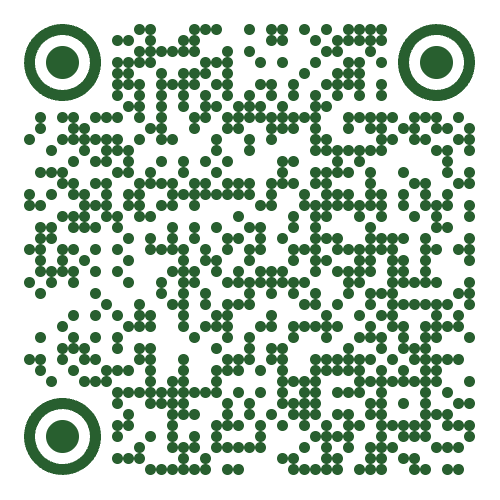 Scan with camera
Android version coming soon.
Two apps. One platform.
Technicians and warehouse staff have different jobs — so they get different apps, both wired into the same Dispatch Scout account.
Dispatch Scout (Field)
iOS + Android · for technicians, dispatchers, adminsWhat it's for
- Running the daily schedule and job list
- Navigating to jobs and updating status
- Capturing photos, forms, and signatures on-site
- Building and sending estimates and invoices
- Collecting payments via Stripe, Authorize.net, NMI
- Chatting with the office and customers
Dispatch Scout Warehouse
iOS · for warehouse managers and inventory staffWhat it's for
- Receiving shipments with barcode scanning
- Creating and tracking stock transfers
- Running physical counts with automatic variance
- Creating purchase orders on the warehouse floor
- Restocking trucks to standard levels
- Looking up products and on-hand quantities fast
Mobile apps FAQ
Mobilize your whole team
iOS, Android, and a dedicated Warehouse app — every seat you already pay for, in every pocket.